RAK4631 Solar Node
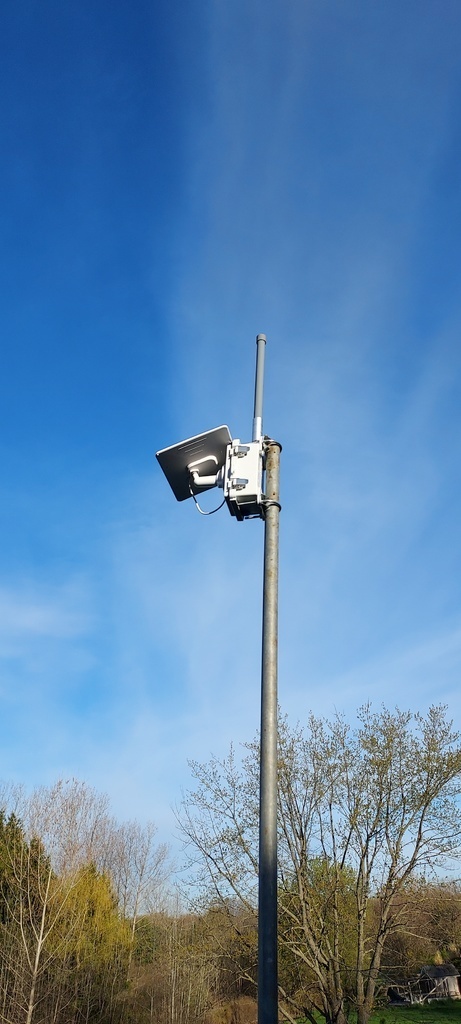
A weatherproof solar node build using a RAK WisBlock starter kit and an IP67 junction box. The 3D-printed mounting board keeps the RAK board and 18650 batteries organized inside the enclosure. Works with both Meshtastic and MeshCore firmware.
STL files and additional details are available on the Thingiverse listing.
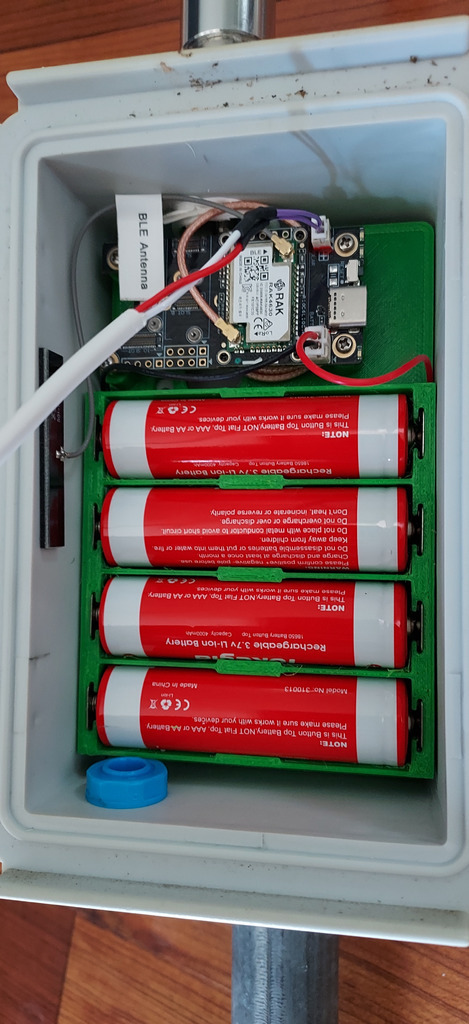
Bill of Materials
| Component | Notes |
|---|---|
| RAK WisBlock Meshtastic Starter Kit (RAK19007 + RAK4631) | ~$30 from RAK store or Amazon |
| IP67 junction box | Weatherproof enclosure |
| 18650 battery terminals | AAA-to-18650 conversion contacts |
| N-connector pigtail (6") | Coil excess inside the box, or use a shorter 3" pigtail |
| Breather plug | Pressure equalization to prevent moisture buildup |
| USB-C 90° adapter | Left on the board for firmware upgrades without disassembly |
| Antenna | Choose based on your node location and deployment |
| Solar panel | For charging the 18650 cells |
Assembly Notes
Mounting Board
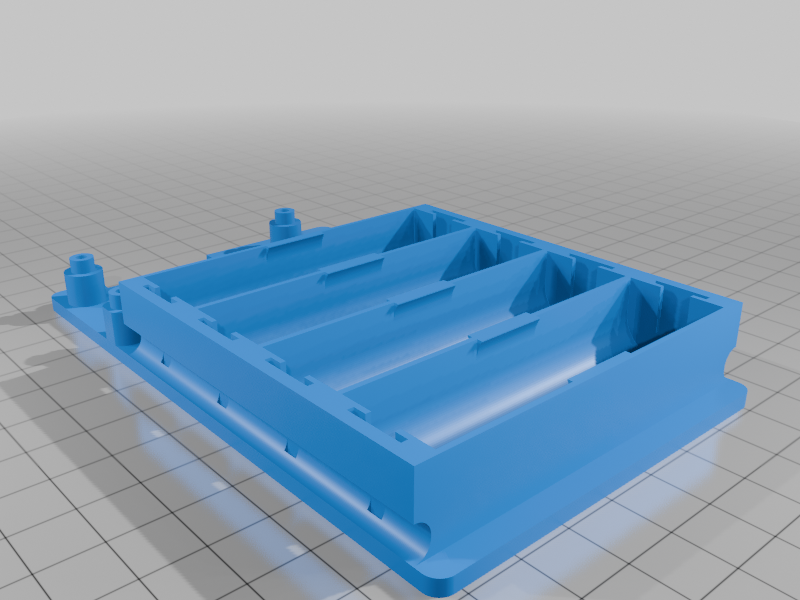
Print the 3D mounting board (150x100_mounting_board.stl from Thingiverse). This holds the RAK WisBlock base board and 18650 battery terminals inside the junction box.
Enclosure
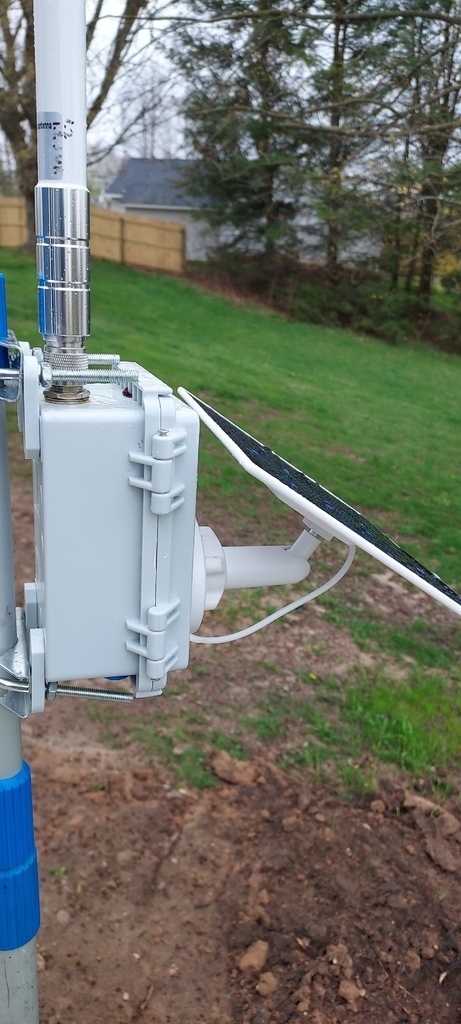
The IP67-rated junction box keeps everything weatherproof. Drill holes for the N-connector and breather plug. The breather plug equalizes pressure so the enclosure doesn't trap moisture from temperature swings.
Antenna
The N-connector pigtail connects the RAK board's IPEX antenna port to an external antenna. The stock 6-inch pigtail can be coiled inside the box, but a 3-inch version is cleaner if you can find one. Choose your external antenna based on where you're deploying — an omnidirectional antenna works well for most setups.
Firmware Access
The 90° USB-C adapter stays plugged into the RAK board so you can flash firmware updates without opening the enclosure — just pop open the box and plug in.
Firmware Compatibility
This build works with both:
- Meshtastic — the RAK starter kit comes pre-flashed with Meshtastic firmware. See the Meshtastic section for setup guides.
- MeshCore — see the MeshCore section for setup guides.